
TABLE OF CONTENTS
- Downloading Loan Level Results
- Global Summary View
- Attribution Analysis
- Attribution Analysis Baseline Assumptions
Running the Model & Results
Once the required fields are mapped and validations pass, click "Run model" (A) to generate results. After a successful run, you'll have access to four outputs that each serve a different purpose:
- Loan-level model results — the full set of model outputs (PD, LS, EL, and assigned ratings) at the individual loan level, which can be saved back to your tape or exported directly
- Cashflow scenario file — an Excel download containing cashflow assumptions across rating scenarios (AAA down to base) and interest rate paths, useful for stress testing and scenario analysis
- Global summary report — a consolidated view that summarizes results across all your model runs, accessible from the Reports page in your environment
- Attribution analysis — a breakdown of the drivers behind your headline PD, LS, and EL numbers, decomposing each output into its underlying contributors
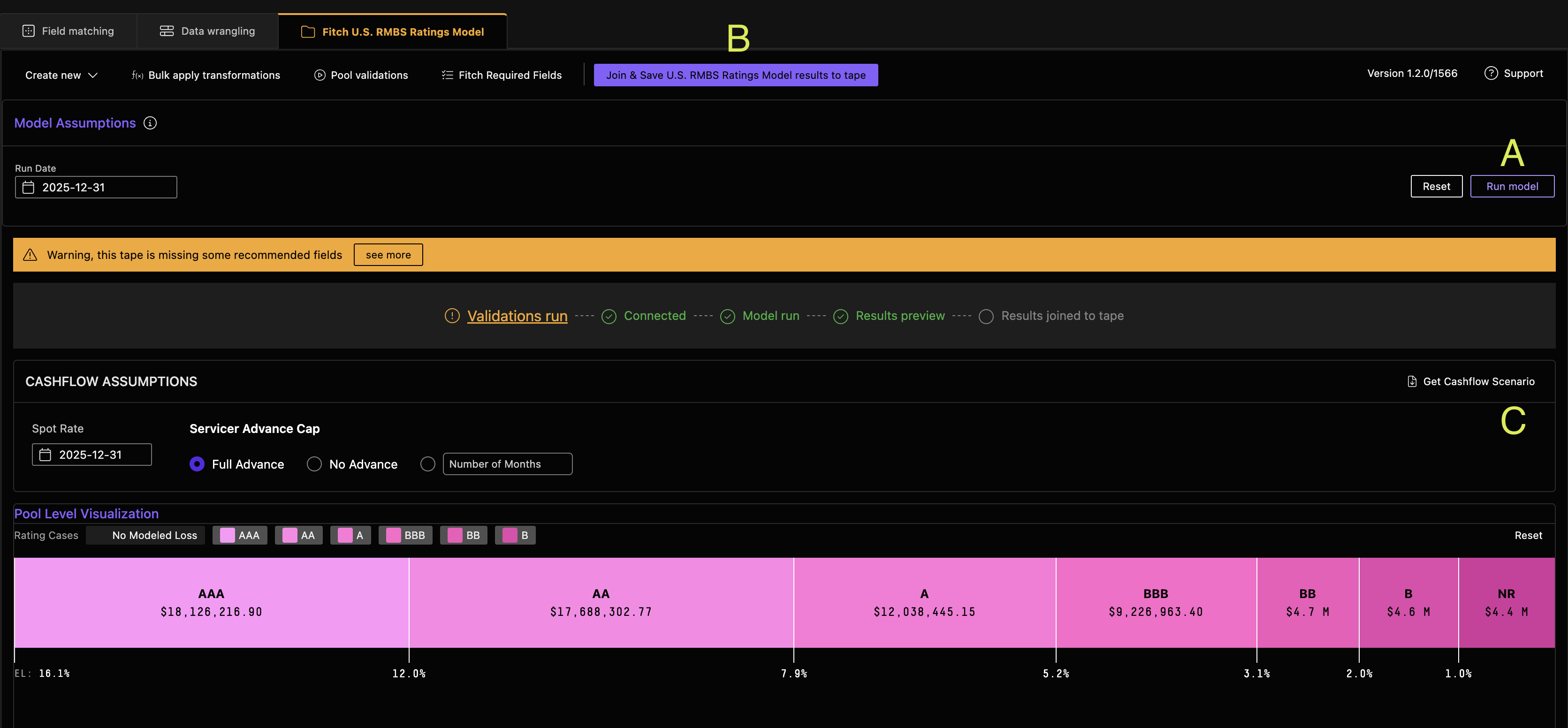
Join and Save Loan-level Results
- Click the purple "Join & Save U.S. RMBS Ratings Model to Tape" (B) button in the upper-right corner of the results table to save model outputs (PD, LS, EL, and ratings) back onto your loan tape
- To export directly from the page, right-click on the loan table and select export — note this method is capped at 1,000 loans/records
- For larger tapes, use the Join & Save option above and pull the full dataset from your saved tape
Get Cashflow Scenario
After a successful model run, click "Get Cashflow Scenario" (C) to generate the cashflow scenario output. This is a separate output from the loan-level model results and produces an Excel file with cashflow assumptions across various rating (AAA down to base) and interest rate path scenarios.
Global Summary View
A global summary view has been added for all users to summarize model results across your runs. First, select "Join & Save U.S. RMBS Ratings Model to Tape." 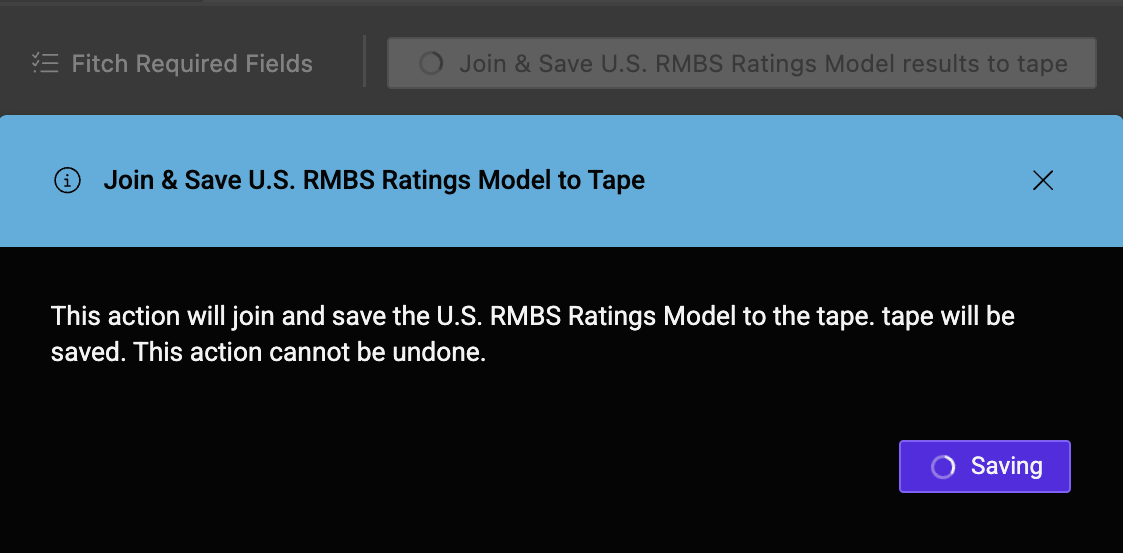
To access it, head to the "Reports" page in your environment, where the summary view will appear alongside your existing model results.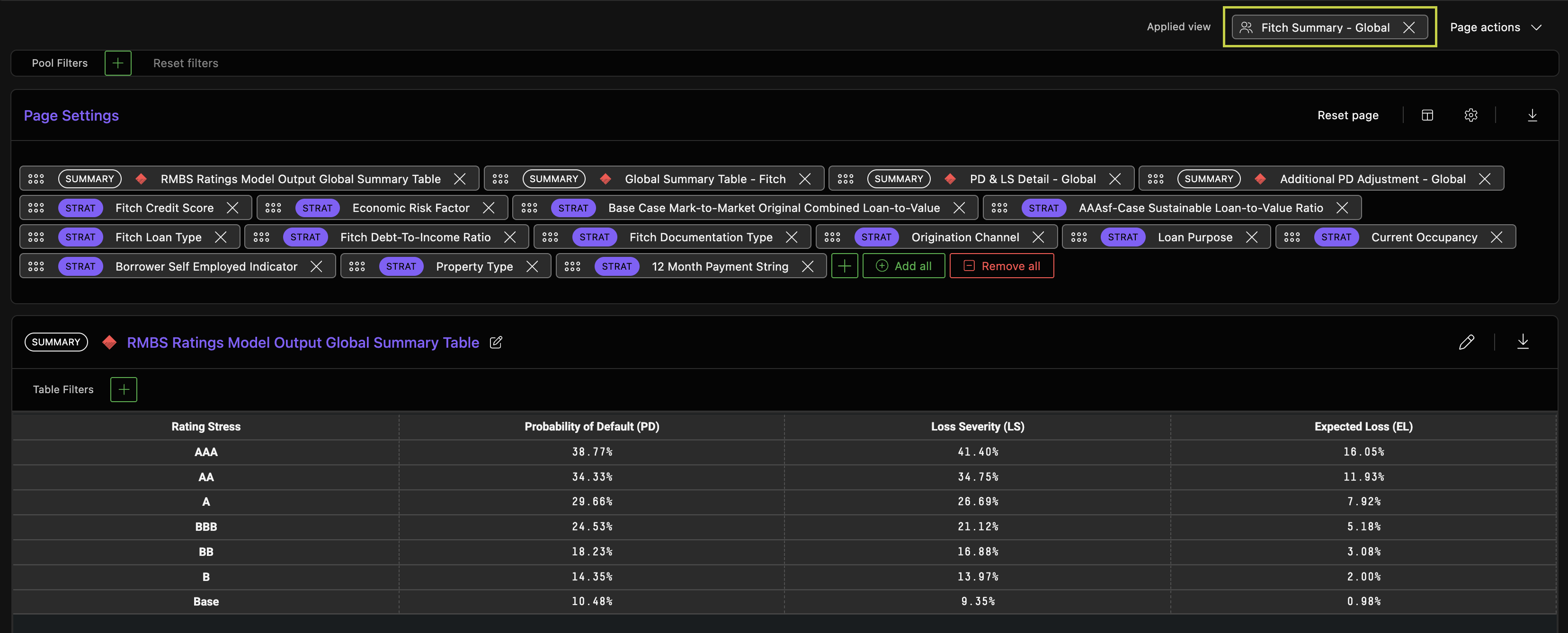
Attribution Analysis
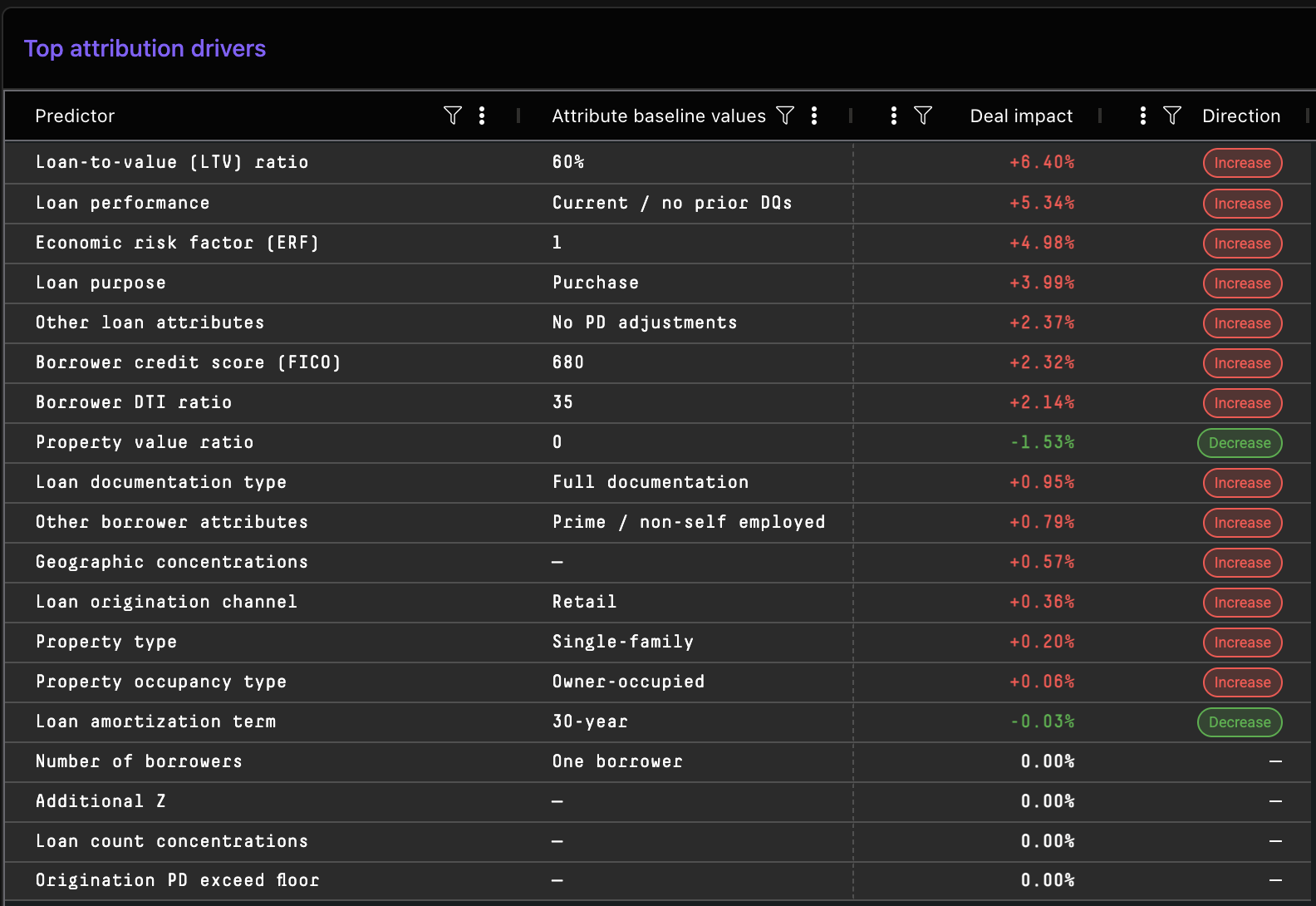
We've also added an Attribution Analysis page that breaks down the drivers behind your model results. Rather than just showing the headline PD and LS numbers, attribution analysis decomposes these outputs into their underlying contributors.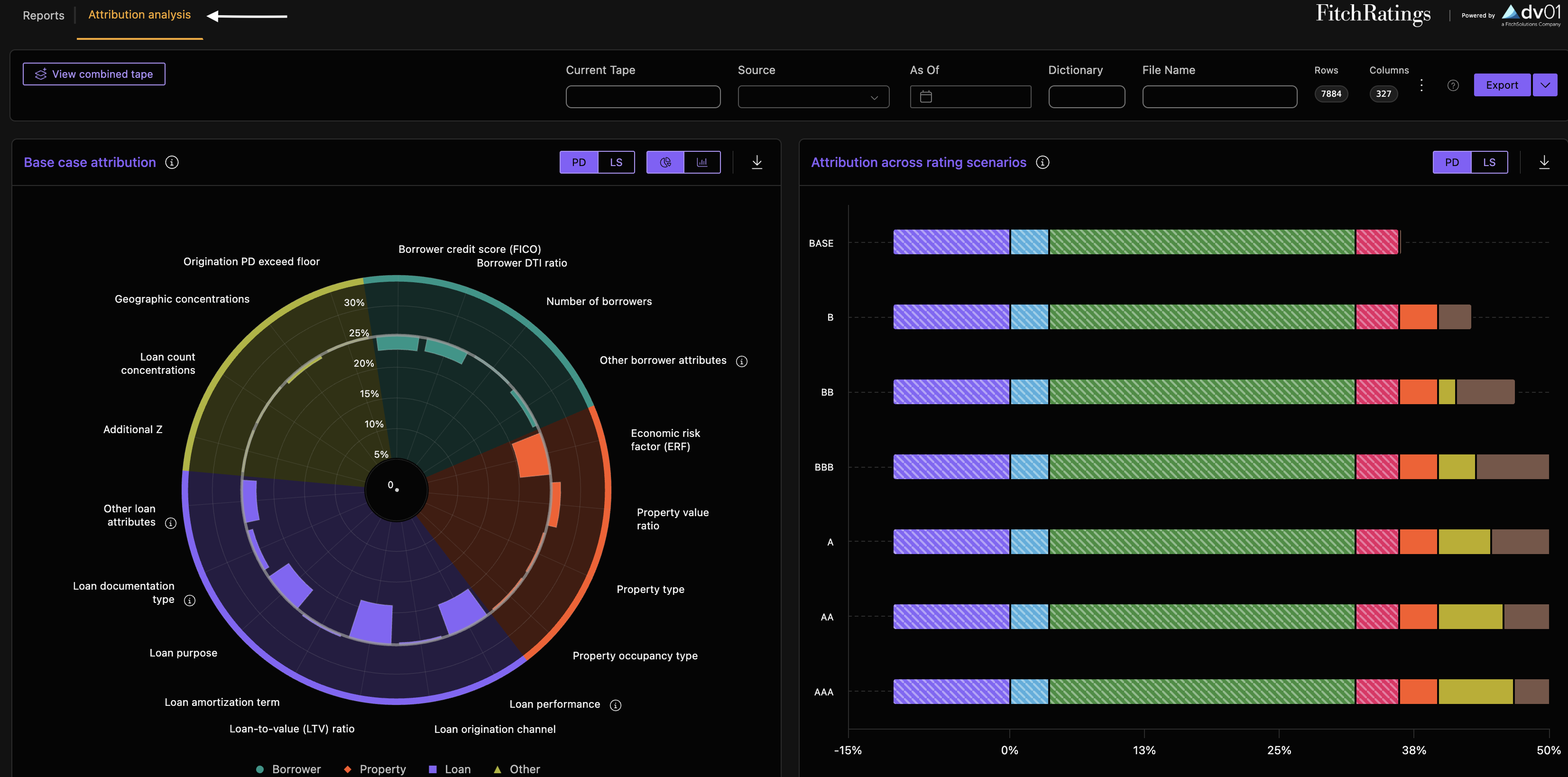
Attribution Analysis Baseline Assumptions
In order to facilitate attribution analysis, several model assumptions are applied. Those baseline assumptions include:
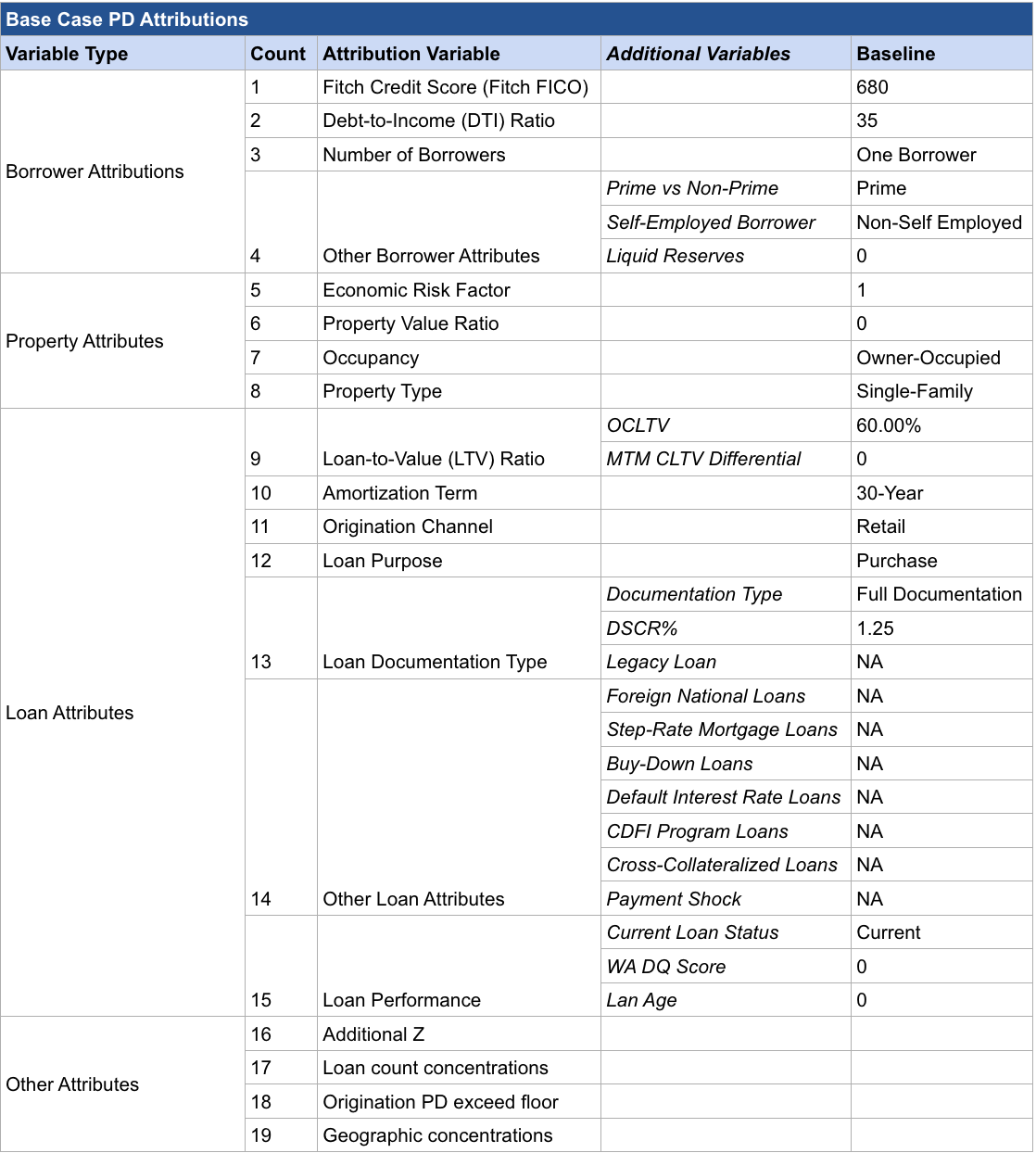
How the baseline drives your results: Every attribute on your tape is compared to the corresponding baseline value, and the difference is translated into a basis-point adjustment to PD or LS of the base scenario. A couple of examples to make this concrete:
- Fitch Credit Score (FICO) — the baseline is 680. Loans on your tape with FICOs above 680 reduce PD relative to the baseline, while loans with FICOs below 680 increase PD. The further the tape is from the baseline FICO, the larger the contribution.
- Loan Documentation Type — the baseline is Full Documentation. If your tape is entirely full-doc, this driver sits at baseline and contributes 0 bps. If your tape contains non-full-doc loans (Alt Doc, DSCR, Bank Statement, etc.), this driver will move PD away from the Base Case — DSCR loans, for example, are stressed relative to the 1.25 DSCR baseline.
Fitch Ratings US RMBS Ratings Model Attributions publication
Questions?